
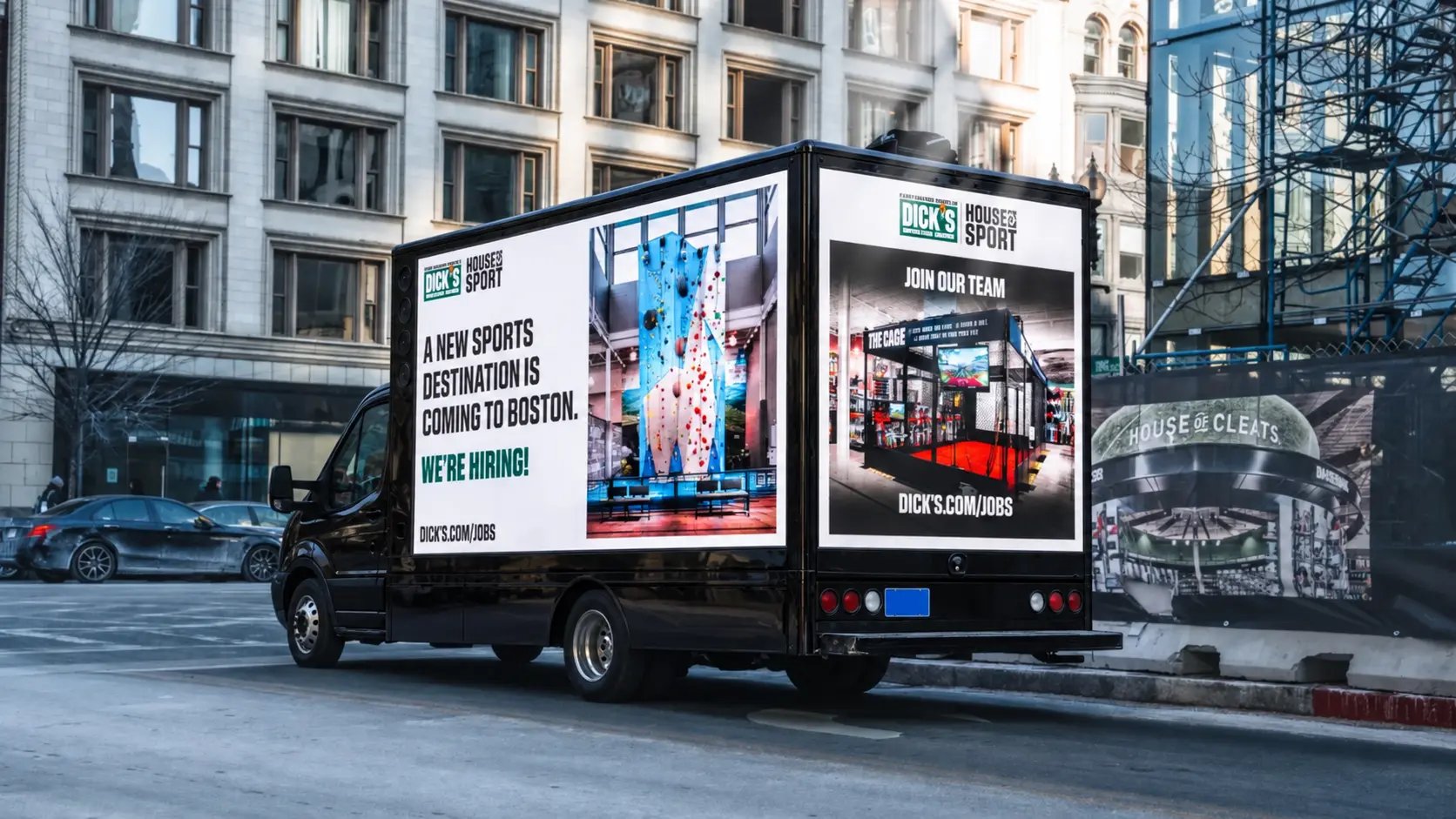
Your next applicant may be working a shift, attending a local event or passing through the same business district every day. A digital mobile billboard can introduce your hiring message in those everyday settings and give interested people a clear path to your careers page.
The opportunity is straightforward: make the employer recognizable, explain the opening quickly and make the next step easy. The truck creates a visible introduction. Your job information, application process and recruiting follow-up turn that interest into a hiring conversation.
Start with the opening, not the truck route.
“We’re hiring” is a start, but it leaves the viewer with questions. What kind of work? Where is the job? Why should someone take a closer look? Before choosing operating areas or artwork, decide which opening or hiring event deserves the most attention.
A campaign for one new store needs a different brief from a staffing company promoting several locations. A hospital recruitment message may need a role-specific landing page, while a hiring event needs a prominent date and destination. Give each creative version one main purpose.
Prepare the job title or role category, work location, employer name and a short application address. If you feature compensation, benefits, schedules or other employment details, have the employer approve them and make sure the application page matches the advertisement.
Where can recruitment truck advertising fit?
| Hiring need | Campaign focus | Useful next step |
|---|---|---|
| Retail openings | Introduce the employer and the new location to the surrounding customer and commuter area. | Store-specific job listings or a hiring-event page. |
| Healthcare teams | Promote the role category and relevant employer destination. | A careers page organized around the advertised jobs. |
| Hospitality and food service | Make the work location and opportunity easy to recognize. | A short application or current interview-event details. |
| Warehousing, logistics and skilled trades | Build a local employer message around the actual worksite and requested operating areas. | Role information, requirements and a clear application link. |
| Seasonal or multi-location hiring | Use local versions of the message for each hiring location. | A page that lets applicants select the correct location. |
These are planning applications, not promises that a route will produce a particular type or number of applicants. Choose public operating areas for their connection to the job location, relevant activity and campaign purpose.
Build a route around the work location and hiring occasion.
Start with the area your organization actually serves and where the advertised job is based. Then identify useful operating windows: a store-opening campaign, a scheduled recruiting event, a local business district or a community event with an appropriate audience.
One tightly defined local campaign can be easier to explain and assess than a route stretched across an entire metro. If several worksites are hiring, prioritize them or give each a separate operating block. For simultaneous coverage in different cities, ask about a coordinated multi-truck campaign.
Our state and city guides can help frame the initial request. The final route still needs review for the assigned vehicle, traffic, staging and local operating requirements.
Use the truck to support your career-fair presence.
A truck campaign can give a hiring event a visible message outside the online invitation. The creative should tell people which employer is participating, when the event takes place and where to find the recruiting team or event information.
Coordinate with the organizer before assuming the vehicle can enter an event site or occupy a position near an entrance. Public-road coverage, on-site placement and event sponsorship are different arrangements. Keep the message consistent across the truck, registration page, booth and recruiter materials.
If your team has limited interview capacity, build the campaign around a practical response: register for a time, review current openings or start an application. A strong advertisement cannot resolve an unclear event schedule or an application page that sends people to the wrong location.
Write a hiring message people can read quickly.
A truck screen is an introduction to the opportunity. Put the employer and role first, add one useful detail, then show one clear action. Leave the full job description for the careers page.
NOW HIRING
Warehouse Associates · Local Worksite
Employer Name · Short Careers URL
Replace every element with the employer’s approved opening and destination. This example is not an active job advertisement.
For an event, the main message might instead be the employer’s hiring day, date and location. For a store opening, the new workplace may be the most important detail. Avoid squeezing several unrelated job categories, benefit lists and contact methods into one frame.
Confirm the screen dimensions and supported artwork for the assigned truck. If several roles need separate frames, agree on the creative versions and rotation during planning. Our LED truck creative guide explains how to keep the design readable.
Make the application destination worth the visit.
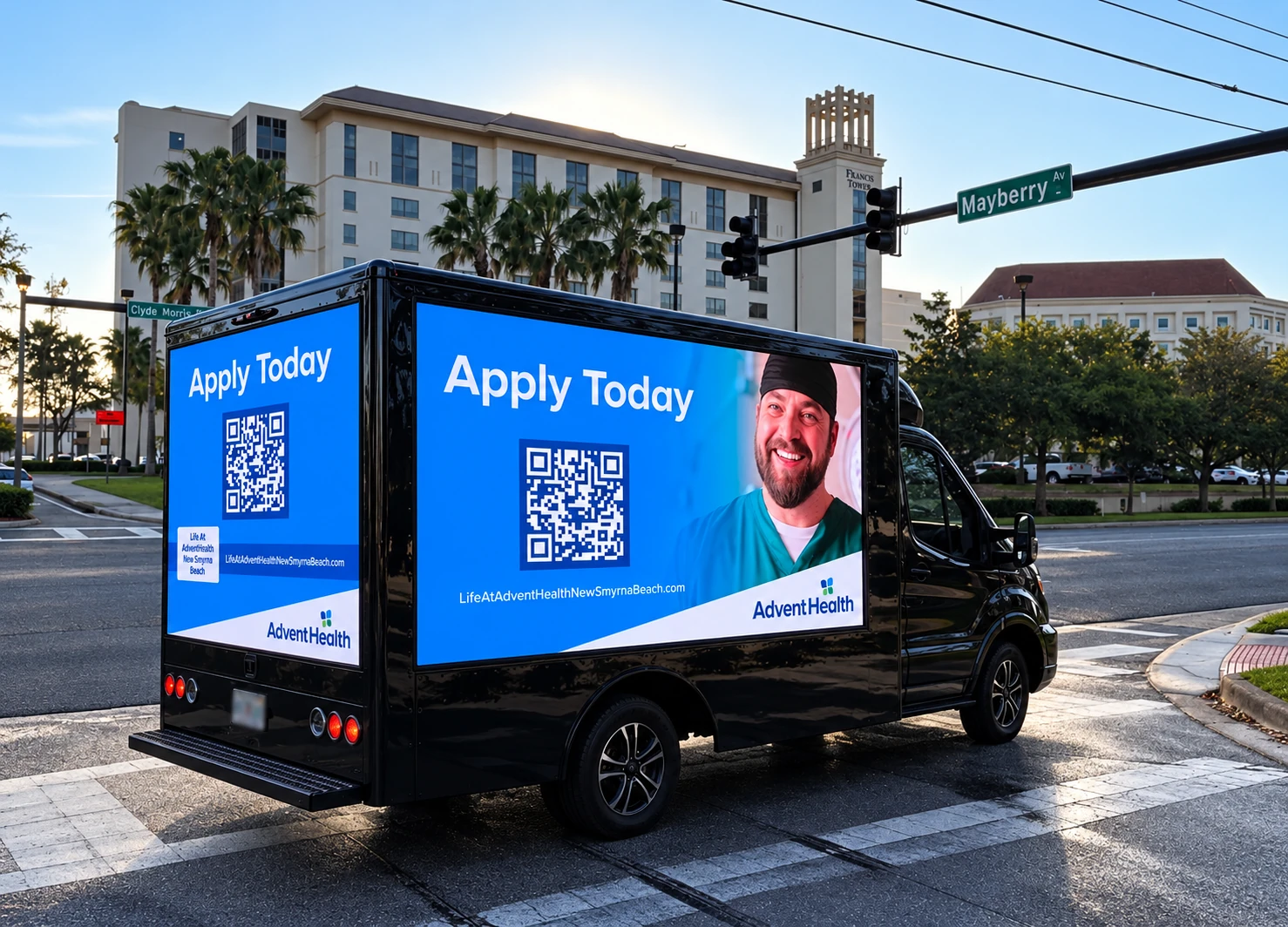
Send people to the opening, location or hiring event featured in the advertisement. A generic homepage makes the applicant search for the opportunity again. A focused careers destination should make the role, location, current requirements and next step easy to find.
Test the page on a phone before the campaign starts. Check that the link works, the advertised opening is present and applicants can understand how to continue. Have a team member responsible for updating the destination if the role closes or the event changes.
A QR code can help pedestrians or people who are safely stopped reach the page. Include a readable web address as another way to respond. Never ask a driver to scan while moving. See our QR code guide for practical response planning.
Track more than page visits.
Agree on the recruiting objective before launch. A hiring-event campaign may focus on registrations and attendance, while an ongoing recruitment message may focus on completed applications and recruiting conversations.
- Document delivery: request the GPS records, operating confirmation and campaign photos included in the scope.
- Track response: use a campaign-specific URL, tagged link, QR destination or application-source field where your recruiting system supports it.
- Review the applicant path: compare page visits, application starts, completed applications and the follow-up stages your recruiting team records.
Route records show where the truck operated; they do not identify individual job seekers. More visits do not automatically mean more completed applications or hires. Review the campaign alongside your job boards, referrals, other advertising and recruiter follow-up.
Choose the operating schedule around the hiring goal.
A focused event may need a short campaign window. An opening or several-location hiring effort may need a longer run, different creative versions or multiple trucks. A dedicated Total Takeover™ campaign reserves the truck for your brand during the booked operating hours.
Our exclusive starting prices are $1,000 for one eight-hour day, $5,000 for five consecutive eight-hour days and $18,000 for 20 consecutive eight-hour days, per truck. Final pricing depends on the market, dates, routing, availability and campaign requirements. Review the pricing guide for the full schedule details.
Recruitment campaign questions
Can several open positions appear in one campaign?
Yes. Discuss separate creative frames or role groups instead of making one crowded screen. Each message should send applicants to the matching jobs or location.
Can a truck advertise a hiring event at our business?
Share the address, event dates and desired operating windows. Any on-site placement, staging or private-property access needs to be confirmed along with the route.
Does the truck replace our online recruiting?
It can introduce and reinforce the hiring message while your careers page handles the details and application. Plan the outdoor creative and online destination together.
Can you guarantee applications or hires?
No. The campaign can deliver the agreed advertising activity. Applications and hires also depend on the opportunity, job information, application experience and employer follow-up.
Tell us who you are hiring and where.
Send the work location, role categories, campaign dates, hiring-event details if applicable, artwork status and application destination. The Digital Mobile Billboard Company can review truck availability and help scope a campaign that gives your recruiting message a clear place on the street.
Make the employer visible. Make the opportunity clear. Give interested people an easy next step.
Get a Free Quote